Color Explorer
Turning color decisions from “thinking first” into “seeing first.”
Role
Product Designer & Lead Engineer — Research, UX/UI, Dataset Strategy, Plugin Development
Context
Individual Project | Commercial Figma Plugin
01. Background & Problem
Colors are fundamental to visual design — yet the way most designers choose color palettes remains slow, fragmented, and highly manual.
Through interviews and journey mapping, I found that designers spend on average 15–20 minutes just to see whether a palette actually works on their designs.
The true bottleneck wasn’t tools — it was cognitive load.
Designers were forced to imagine how a palette would look before they could actually see it.
02. Reframing the Problem
To better understand this behavior, I turned to Henry Mintzberg & Frances Westley’s research on decision-making models. They describe three strategies:
Thinking First
Analyze → Compare → Decide
Seeing First
Look → Sense → Pattern Recognize
Doing First
Try → Experience → Adjust
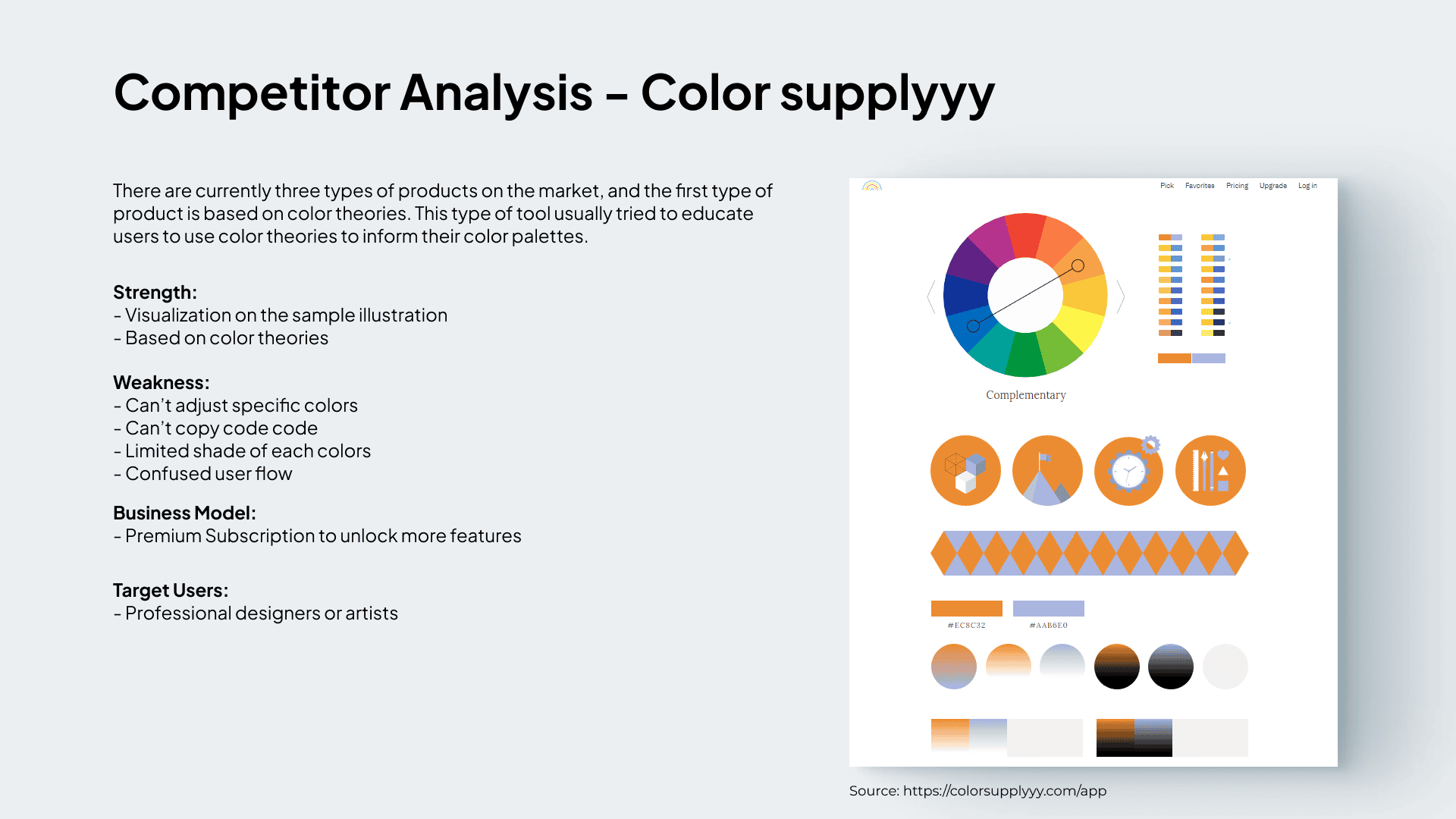
Most color tools today force designers into Thinking First: choose a palette in isolation, then try to force it onto the design.
But color selection is inherently contextual and visual. It belongs in the Seeing First domain.
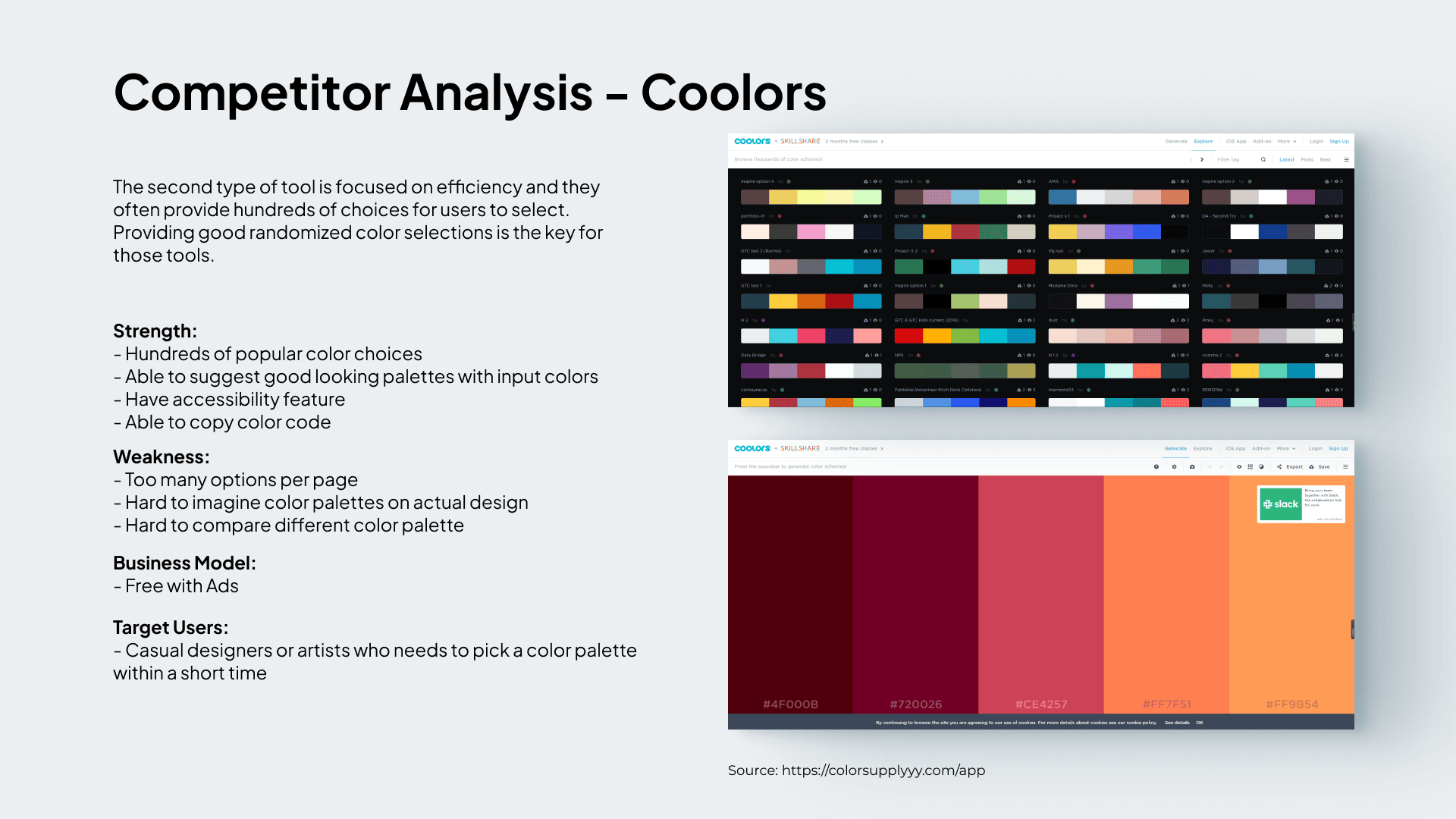
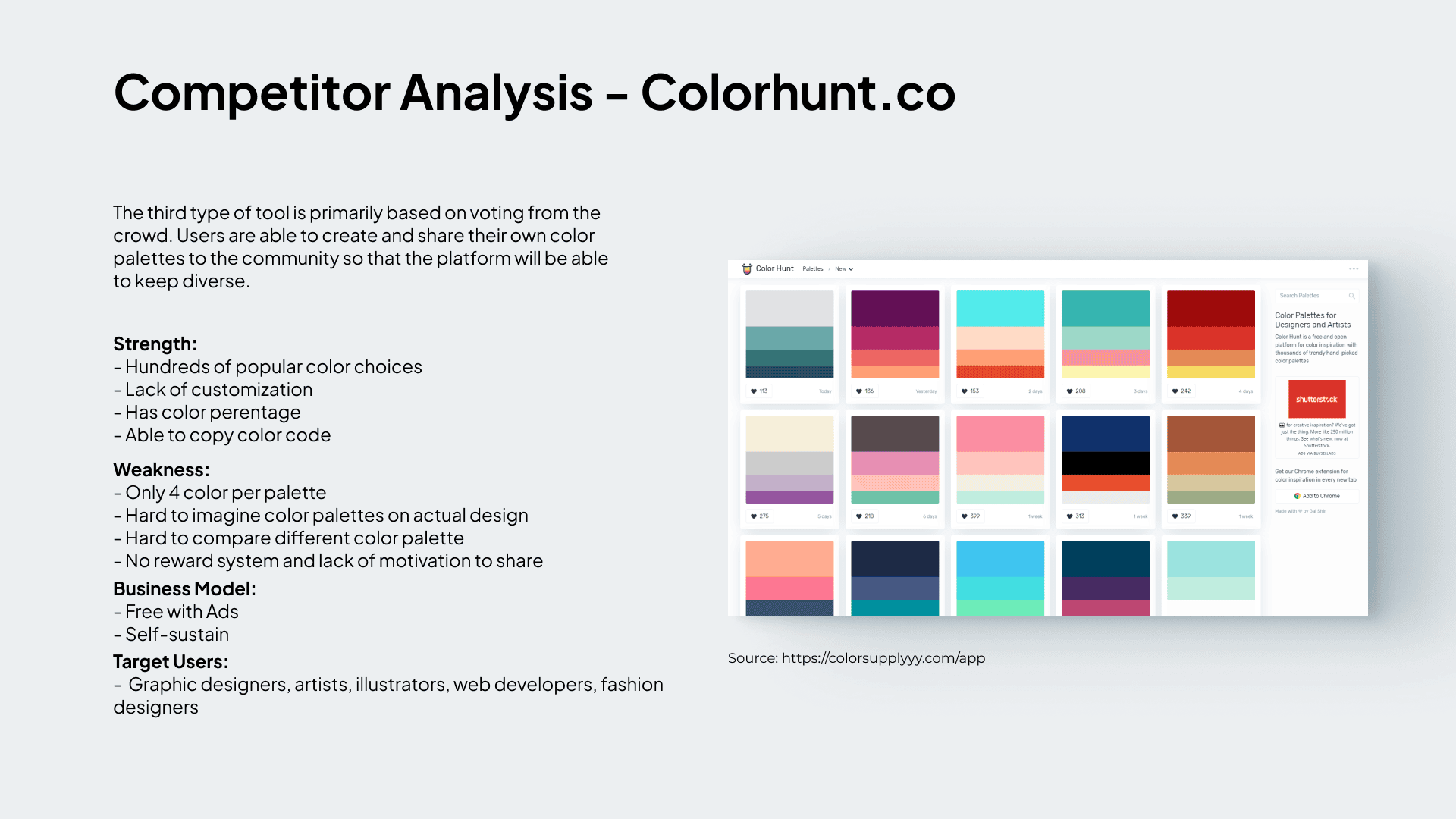
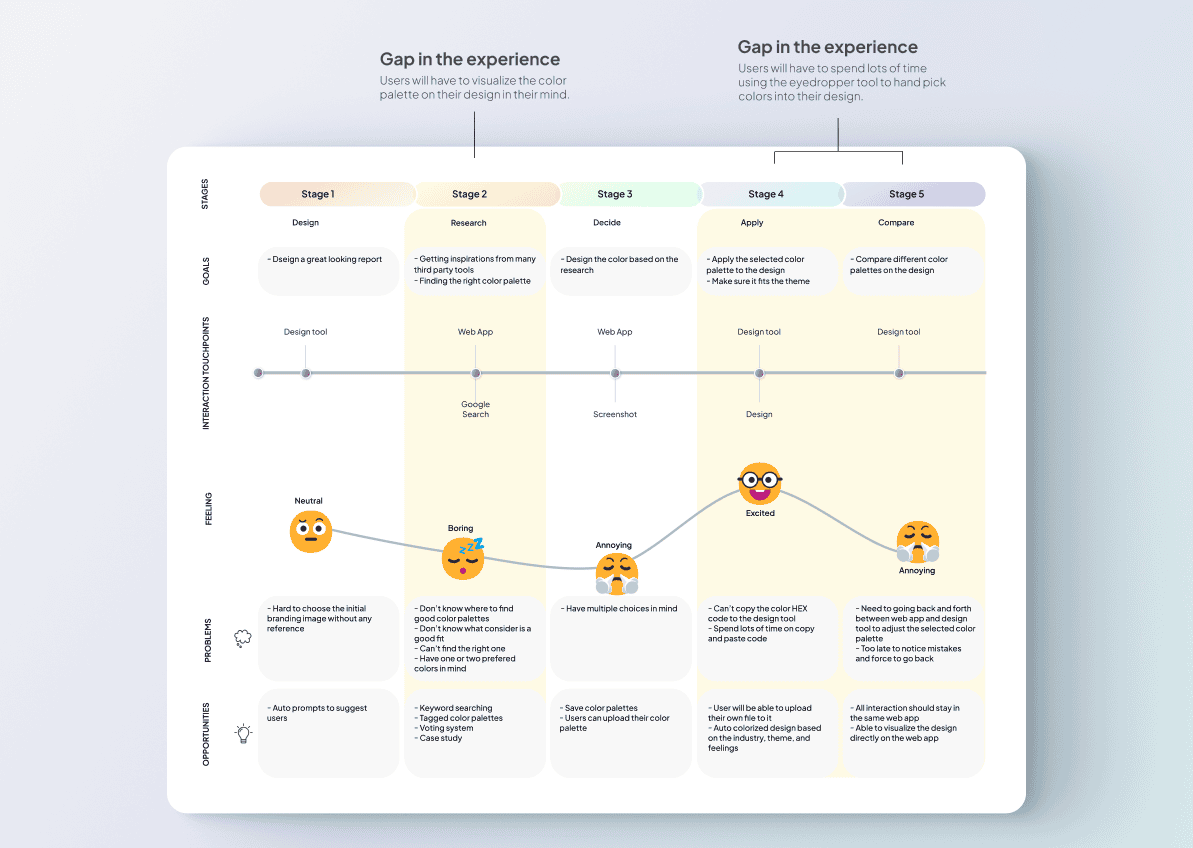
03. Journey Mapping — Finding the Gap
I mapped the end-to-end flow: Design → Research → Decide → Apply → Compare.
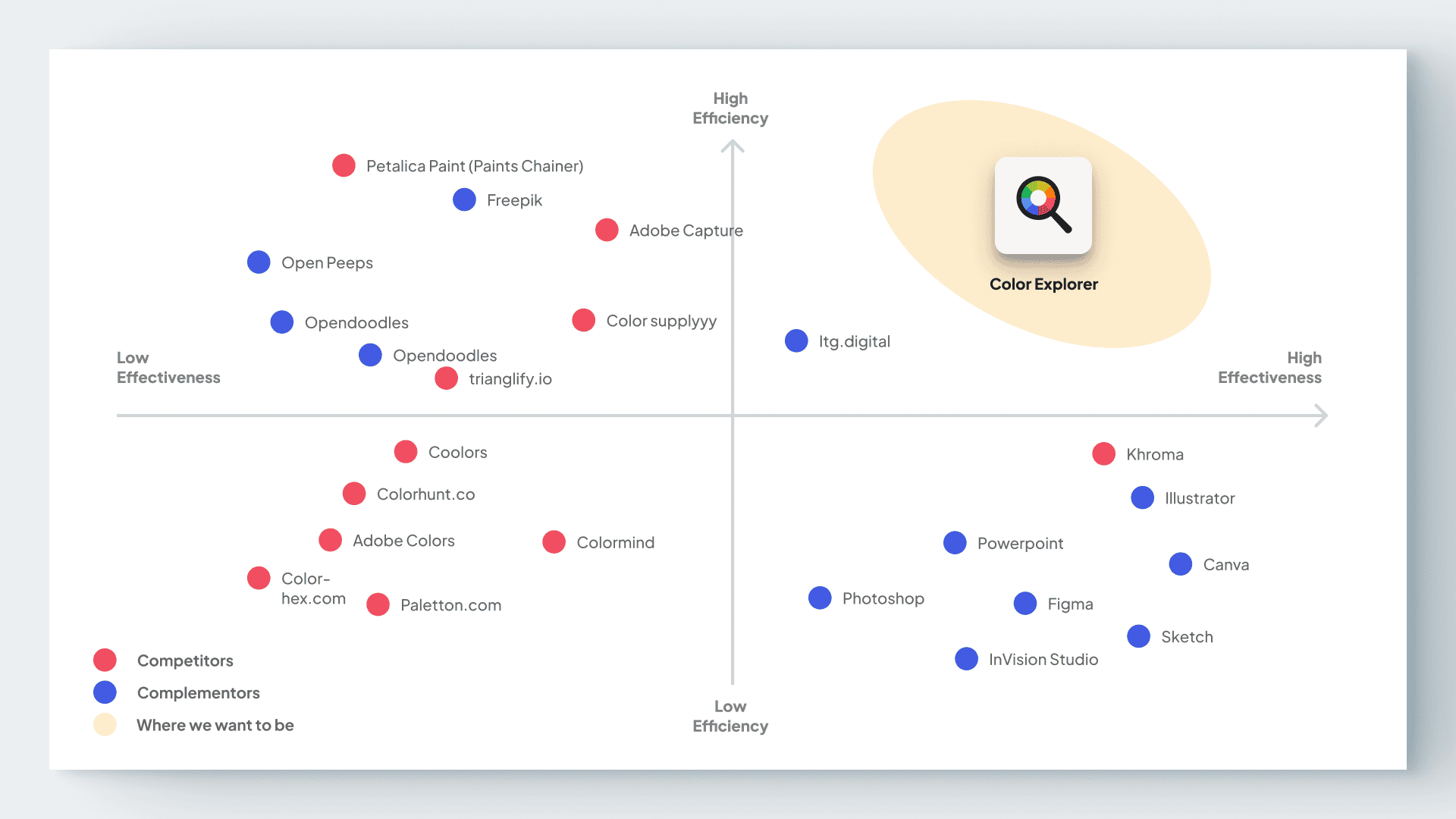
The critical gap was in the middle: designers evaluated palettes in web tools, then mentally projected how they would look in Figma, followed by tedious copy/paste cycles.
“Designers weren’t struggling to find colors — they were struggling to see them in context fast enough.”
04. MVP — Extract, Choose, Replace
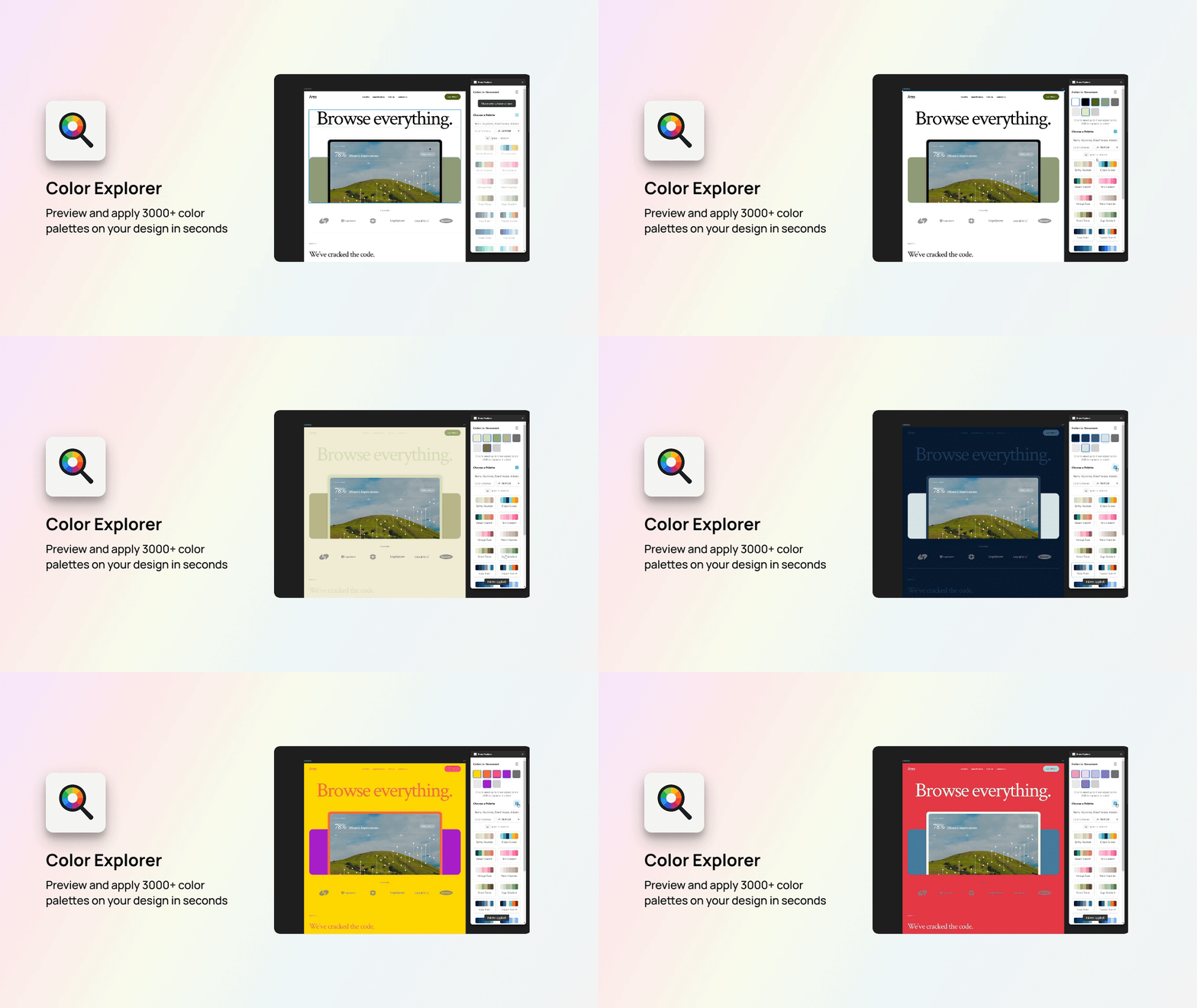
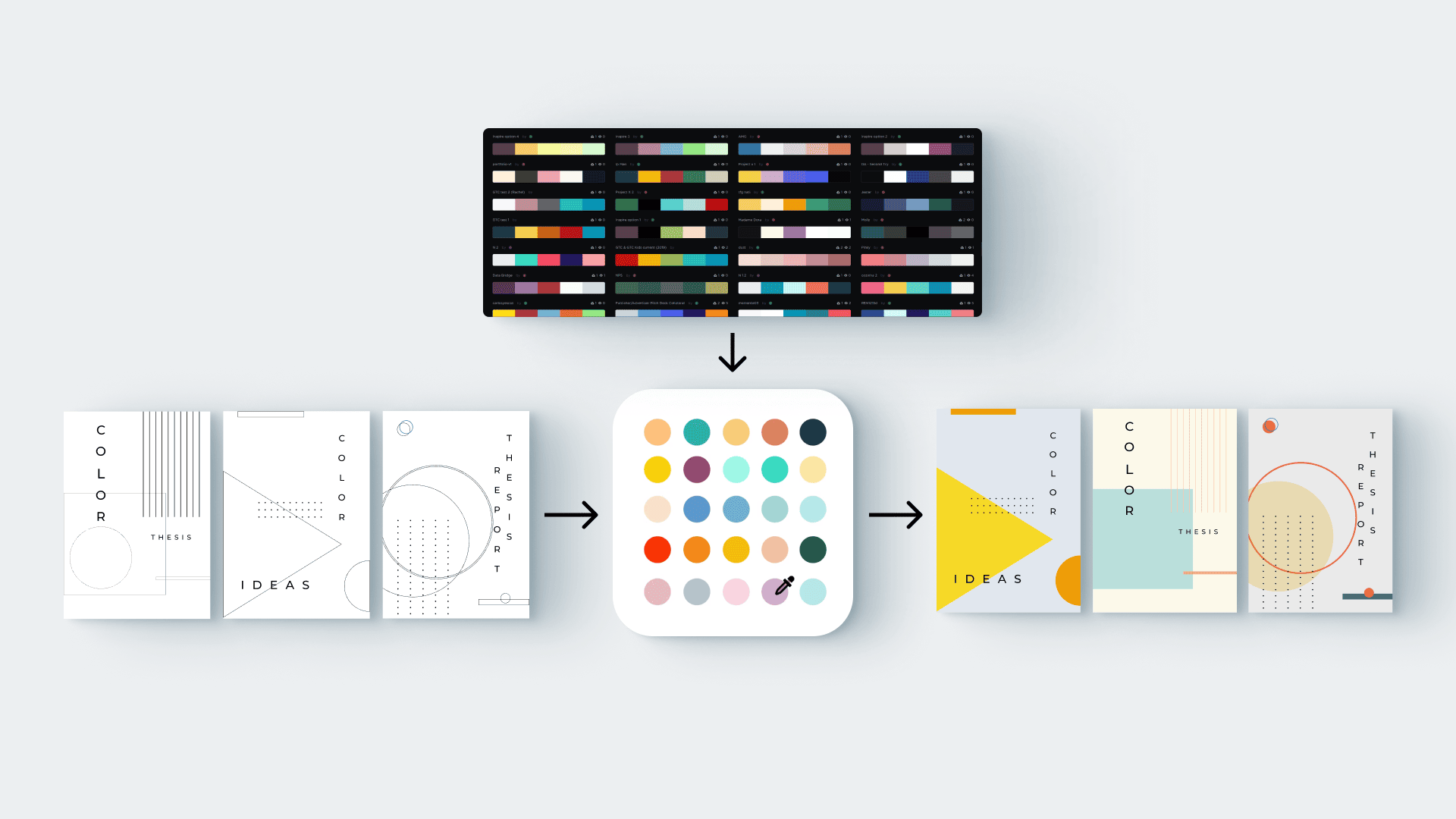
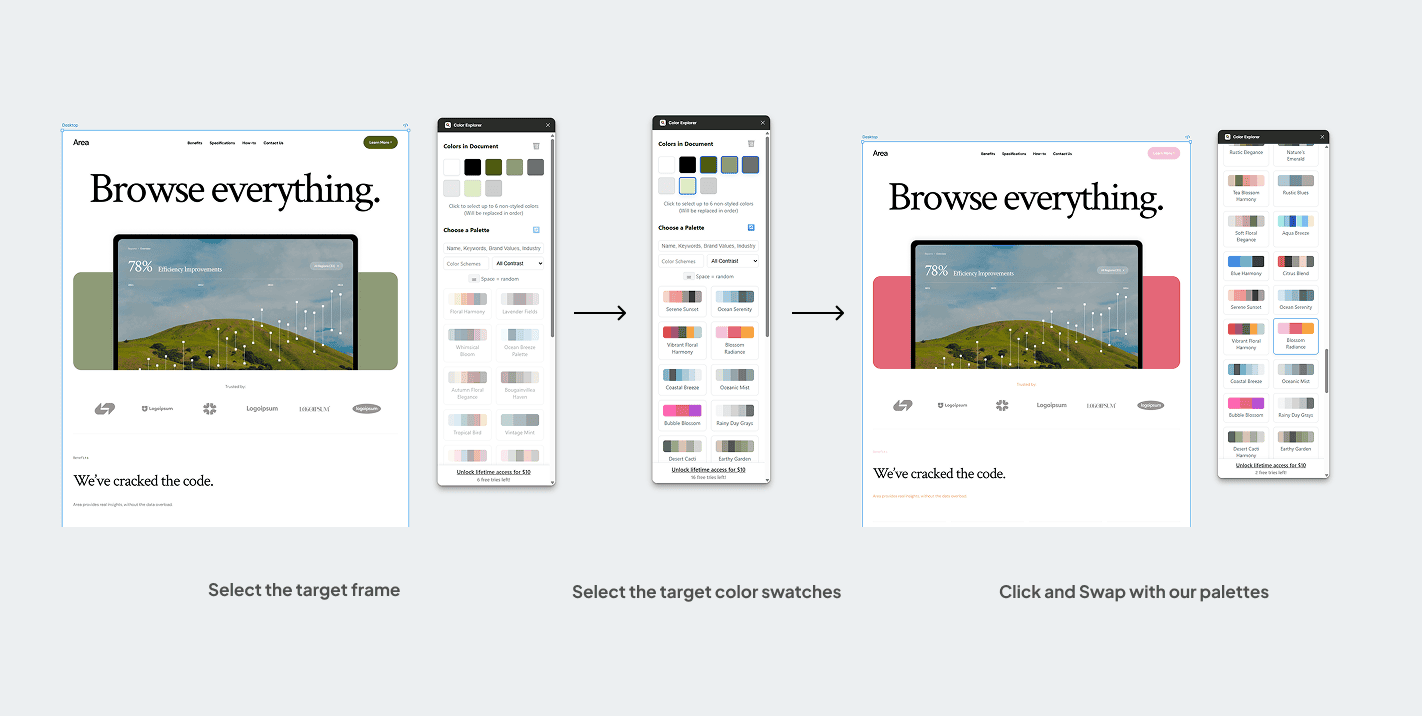
The MVP focused on one fundamental loop: Extract real colors from your design → preview replacements instantly → decide by seeing.
1. Intelligent Extraction
Detects all used colors (fills, borders, gradients, shadows) and groups similar shades automatically while removing noise.
2. Targeted Selection
Designers choose specific colors to replace, such as brand accents, while ignoring system neutrals.
3. Instant Replacement
Curated palettes are applied directly onto the design, preserving original properties (opacity, stroke/fill, blending modes).
The Dataset Engine
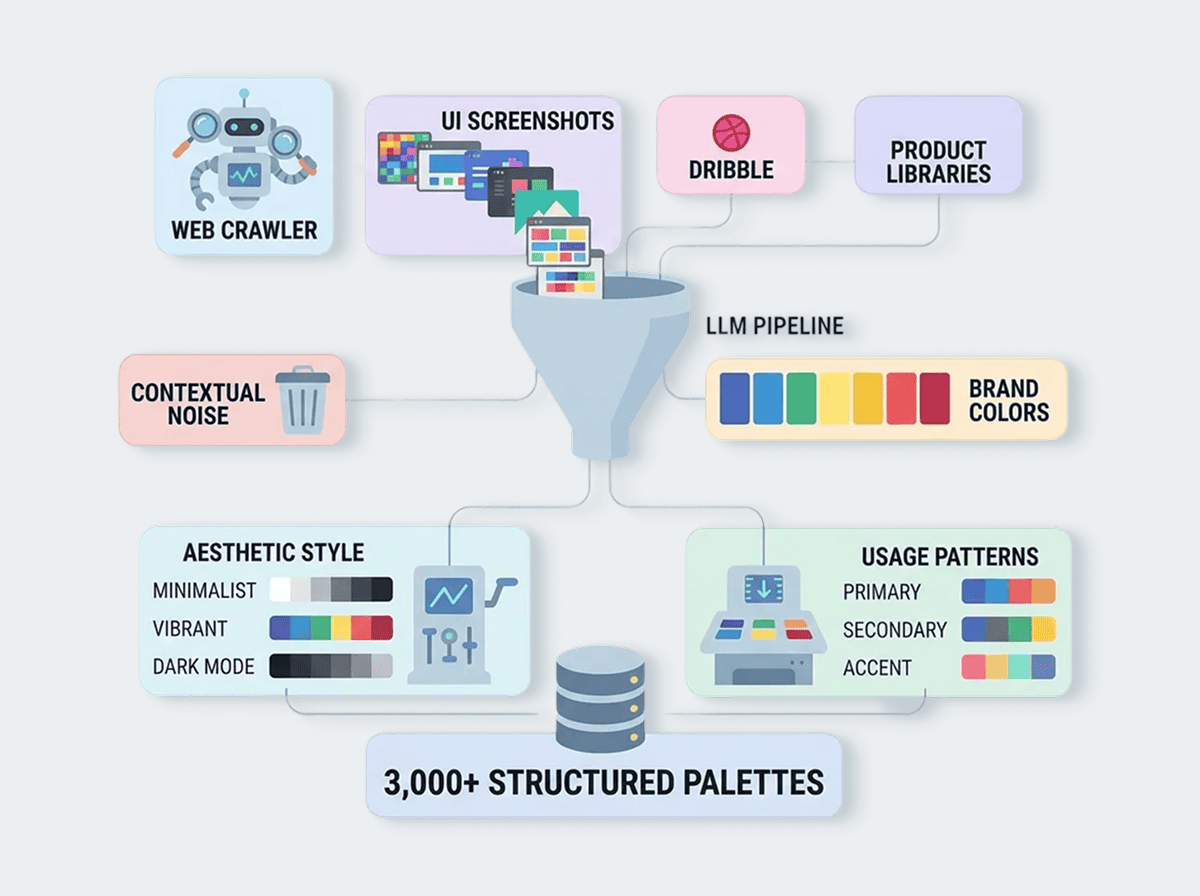
To power this, I crawled thousands of UI screenshots from Dribbble and product libraries. I built an LLM pipeline to separate brand colors from contextual noise, classifying over 3,000 structured palettes by aesthetic style and usage patterns.
05. Experience Design — The UI is Canvas-Centric
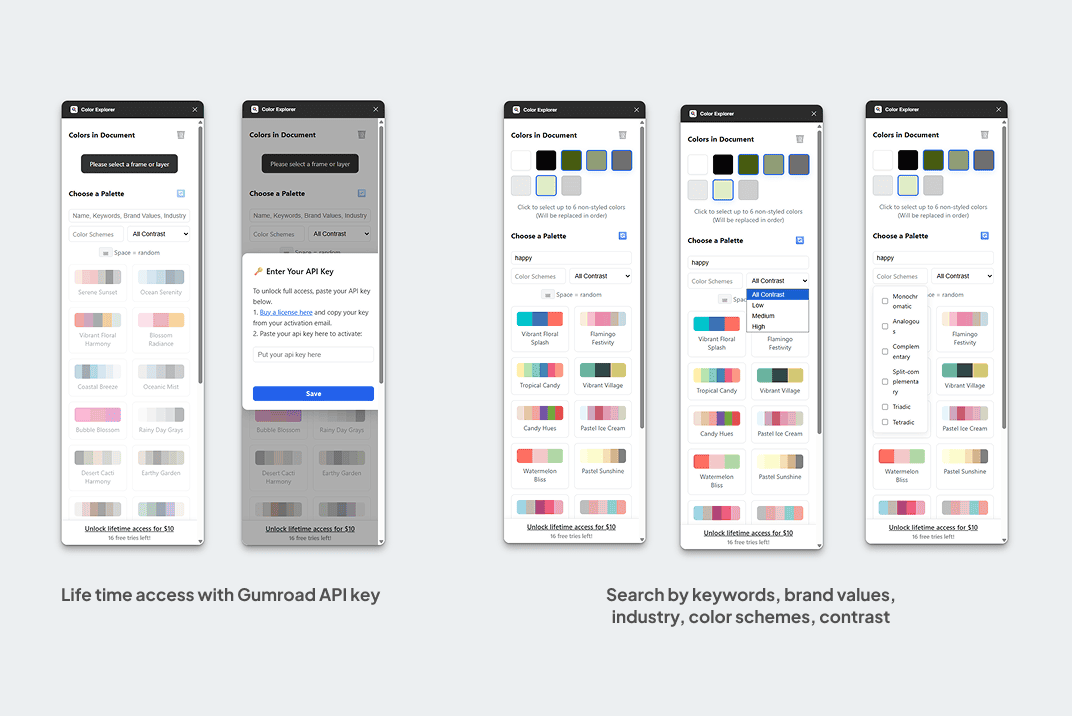
I designed Color Explorer as a compact control panel to ensure the decision happens while looking at the real design, not a separate web app.
Context-Aware
The plugin always reflects what’s selected. No selection → Extract palette → Replace. The user is never "lost" in deep menus.
Non-Destructive Exploration
Applying a new palette preserves all visual properties. Experimentation is safe, encouraging more diverse exploration.
06. Technical & System Design
Architecture was optimized for speed and privacy. The color clustering runs via a lightweight worker service that respects privacy (no persistent storage of user artboards).
- •Figma Plugin API: Direct manipulation of scene nodes for instant feedback.
- •Supabase: Managed database and search for 3,000+ palettes with industry/emotional tagging.
- •Gumroad API: Commercial validation via one-time licensing and API key management.
07. Launch & Impact
Speed Improvement
~90%
20 mins → Under 2 mins
Validation
Paid Purchases
Proved willingness to pay for workflow clarity without marketing.
The plugin was released to a small test community and quickly moved from "toy territory" into client brand explorations and rapid prototyping cycles.
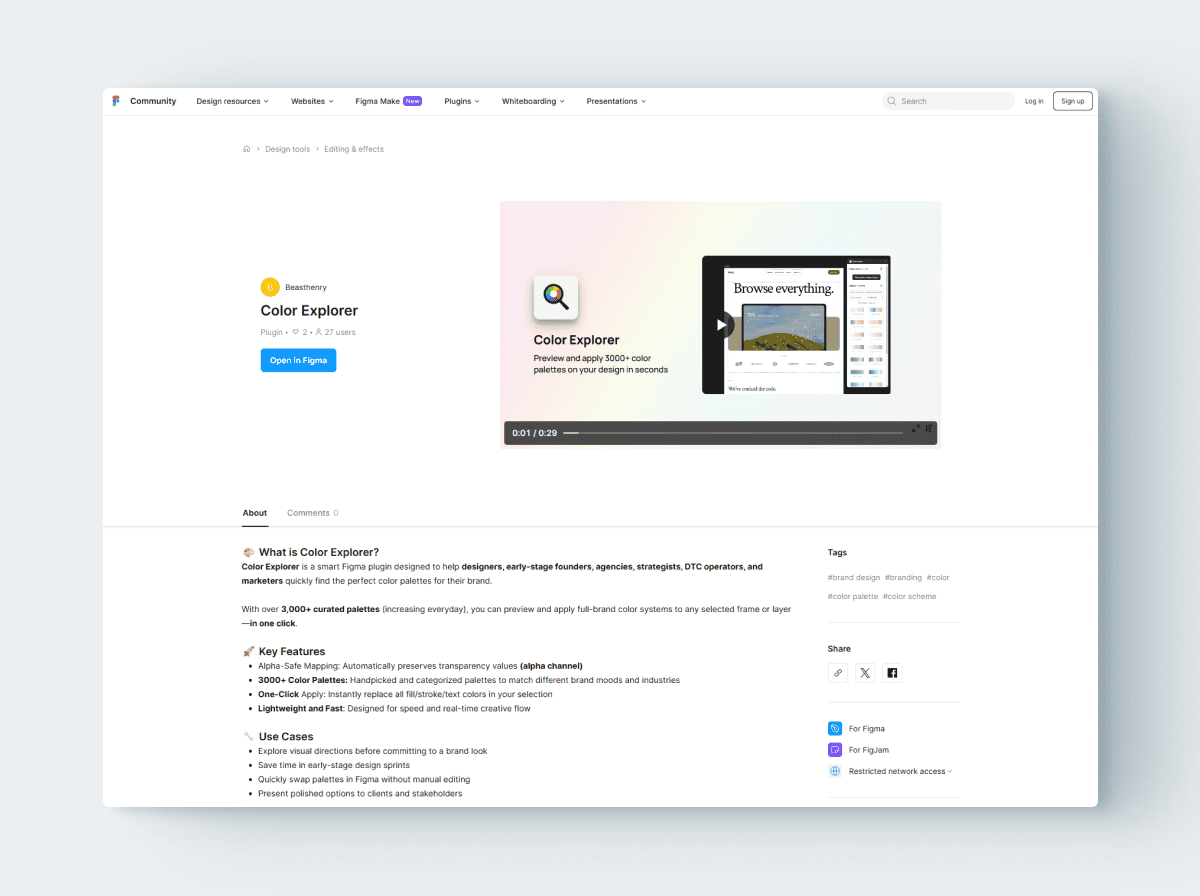
Try it yourself
View Color Explorer on the Figma Community.
08. REFLECTION
“The most powerful improvement wasn’t better palettes. It was moving from Thinking First to Seeing First.”
A designer building tools gains a sharper understanding of workflow friction. Decisions in design belong inside the canvas.